How Much Does It Cost to Start a Podcast in 2026?

Key Takeaways
- •You can publish a podcast for nothing, and most pre-launch spending goes on the wrong things
- •The first thing worth paying for is hosting, not a microphone, because the feed is your show's identity
- •A quiet room with soft furnishings fixes the most common audio problem and costs nothing
- •Editing time is by far the largest ongoing cost and is almost never included in cost estimates
- •The real cost is consistency, and no equipment purchase makes publishing a hundred episodes easier
You can start a podcast for nothing, and most of the money people spend before launching is spent on the wrong things.
The pattern is consistent: new podcasters buy equipment and skip the two costs that actually matter, which are hosting and the time to edit. Below is what each tier genuinely costs and what it buys you.
The zero-cost version
Everything you need to publish an episode exists free.
- Recording: your phone's voice recorder, or free desktop software. A phone in a quiet room with soft furnishings produces perfectly acceptable audio.
- Editing: free audio editors handle cutting, levelling and exporting.
- Hosting: several podcast hosts have free tiers, usually with storage or bandwidth limits and sometimes with advertising inserted.
- Distribution: submitting to the major directories is free.
- Artwork: free design tools have podcast cover templates.
Realistic total: nothing. The constraint is your time and the acoustics of the room you record in.
This is the correct starting point for almost everyone, because most podcasts stop within a handful of episodes and equipment bought beforehand becomes an expensive reminder. See how to start a podcast for free.
The first thing worth paying for
Not a microphone. Hosting.
Free hosting tiers impose limits on storage, bandwidth or episode count, and several insert their own advertising. A paid host costs a modest monthly amount and gives you unlimited episodes, proper analytics and control over your feed.
The reason it matters more than equipment: the feed is your show's identity. Moving hosts is possible and it is the one piece of infrastructure worth getting right early, because a broken feed loses subscribers permanently.
The hosting comparison covers what differs between them.
Equipment tiers, and what each actually fixes
Under 100
- A basic USB microphone
- Wired headphones you already own
- Soft furnishings in the room, which cost nothing and matter more than the microphone
What it fixes: the difference between phone audio and this is noticeable and the difference between this and a much more expensive setup usually is not, to a listener.
100 to 300
- A better USB microphone
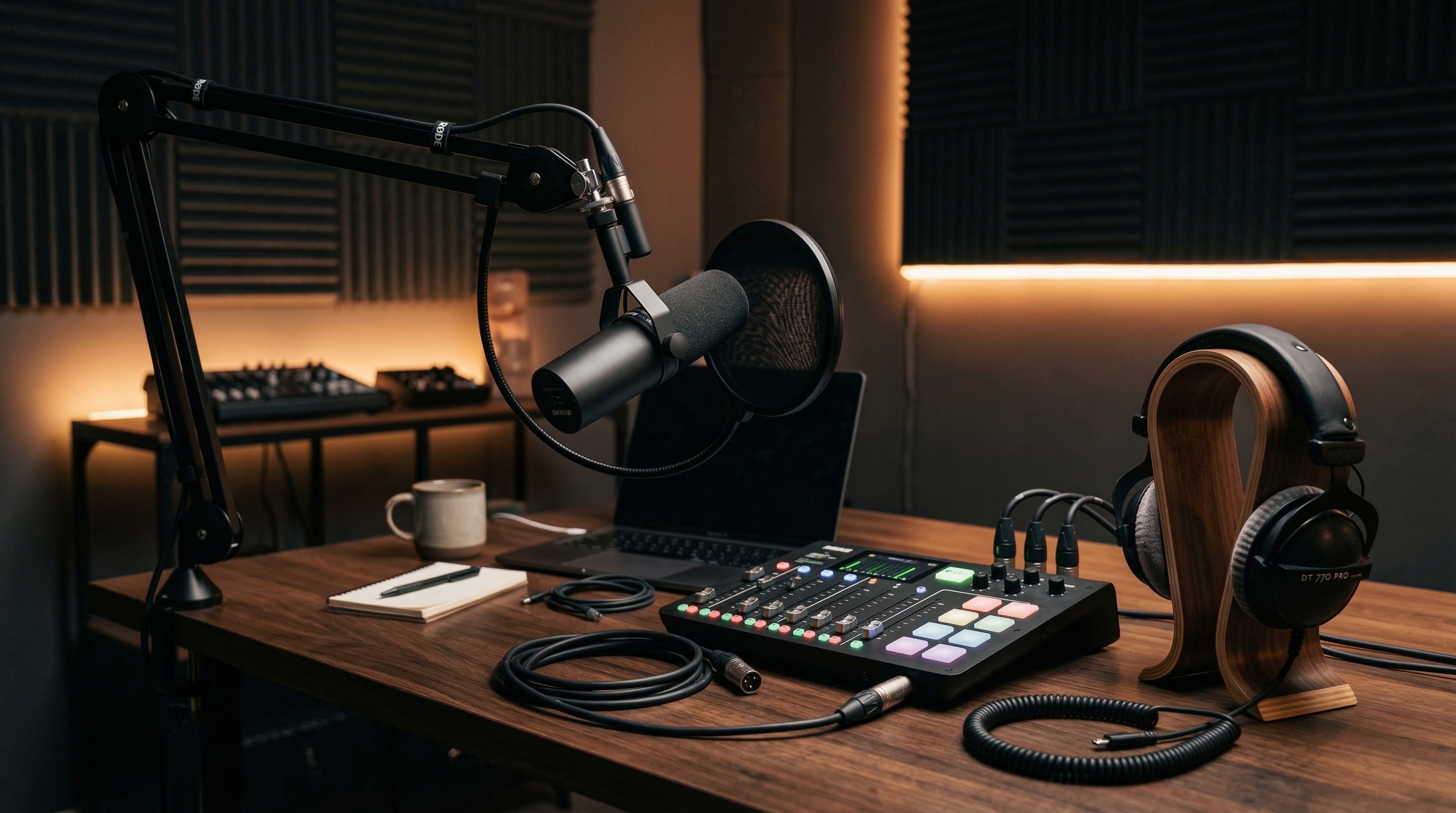
- A boom arm, which improves consistency by keeping distance constant
- A pop filter
- Closed-back headphones for monitoring
- Basic acoustic treatment, which is genuinely the highest-return item at this tier
What it fixes: consistency and room sound, which are the two things that actually make audio sound amateur.
300 to 1000
- An XLR microphone and an audio interface or a dedicated recorder
- Proper acoustic treatment
- A second microphone for in-person guests
What it fixes: control and headroom. Worth it if you are recording regularly and the show is established.
Above 1000
Video, multiple cameras, lighting, better preamps, a treated space. Only relevant once the show is producing something.
The costs people forget
Editing. Either your hours or someone else's. This is by far the largest ongoing cost of a podcast and it is almost never included in cost estimates.
Editing an hour of conversation properly takes several hours. Outsourcing it costs money per episode, and doing it yourself costs the time that would otherwise have gone into growing the show.
Transcription. Increasingly expected for accessibility and useful for search. Automated transcription is cheap, and cleanup takes time.
Music. Licensed intro music, or royalty-free, or original. Using music you do not have rights to gets episodes removed.
Guest scheduling and calls. Time rather than money, and more of it than people expect.
Cover art. Worth paying for once, since it is the first thing anyone sees in a directory listing.
A website. Not required at the start and useful later for search discovery.
Video podcasting
Adding video multiplies the cost and the workload.
- Camera, or a phone on a stand
- Lighting, which matters more than the camera
- Video editing, which takes considerably longer than audio editing
- Storage for the files
Worth doing when you have the capacity, because video gives you clips for short-form platforms, which is one of the better discovery mechanisms available. Not worth doing if it means publishing less consistently. See how to film a podcast.
Where money genuinely improves the show
Ranked by effect per pound spent:
1. A quiet room with soft furnishings. Free or nearly free, and it fixes the single most common audio problem.
2. Hosting. Modest, and it is the infrastructure.
3. A basic decent microphone. The gap between phone audio and this is real.
4. Editing help. Buys back the time that goes into growth.
5. Cover art. One-off, high visibility.
6. Acoustic treatment. Larger effect than a more expensive microphone.
7. Everything else.
Most new podcasters spend in roughly the reverse order.
A sensible plan
- Episodes one to ten: free everything. Find out whether you will keep doing it.
- If you are still going: paid hosting, a basic microphone, decent cover art. Modest one-off cost plus a small monthly amount.
- Once it is established: editing help, better microphone, acoustic treatment.
- Once it earns: video, if the capacity exists.
The uncomfortable truth about cost
The financial cost of podcasting is small. The real cost is consistency, and that is why most shows stop.
Publishing weekly for two years requires roughly a hundred episodes of recording, editing and promotion, and no equipment purchase makes that easier. Spending money before establishing whether you will sustain it is the most common way podcasting budgets get wasted.
Start free, prove you will keep going, then spend on the things above in that order.
Written by Lena Whitfield
Lena is a growth strategist at Affiliateo. She specializes in community building and digital product launches.