How to Create and Sell Templates That People Actually Buy
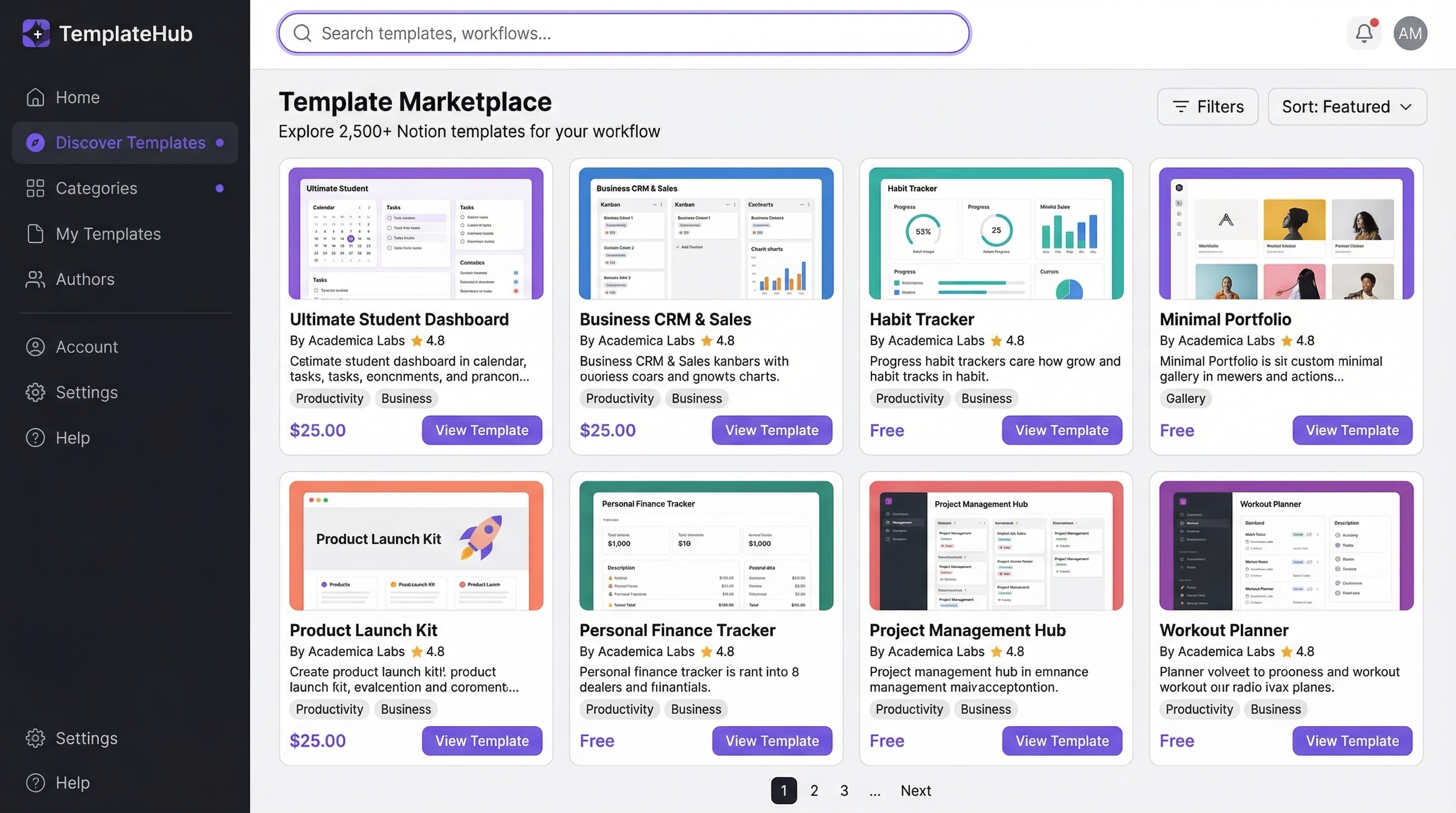
Key Takeaways
- •Templates are the easiest digital product to create and sell
- •Research demand on Gumroad, Etsy, and Reddit before creating
- •Bundle 3-5 related templates to charge 2-3x more
- •Show templates in action on social media for maximum conversions
Templates Are the Easiest Entry Point
To create and sell templates, you build a reusable file that solves one specific problem, then list it on a marketplace or your own store where buyers are already searching. Templates work because you make the asset once and sell the same download hundreds of times with no extra work per sale.
If you've never sold a digital product before, templates are the perfect starting point. They're quick to create, easy to deliver, and solve immediate problems for your customers. A good Notion planner or Canva pack can go from idea to first sale in a weekend, and the same file keeps earning long after you finish it.
Finding Template Ideas
Research Demand
- Browse Gumroad and Etsy for bestselling templates and read the reviews to see what buyers wish the file also did
- Check what people ask for in Reddit communities, Facebook groups, and X (Twitter) replies
- Look at what tools your target audience uses daily, then build the file that saves them the most time
- Use marketplace search bars: type "template" plus your niche and note the autocomplete suggestions, since those are real searches
The best template ideas sit at the intersection of a tool, an audience, and a use case. "Notion CRM for freelance photographers" outsells "Notion dashboard" every time because it speaks to one person's exact problem.
Popular Template Categories
- Notion workspace templates (planners, CRMs, second-brain systems)
- Spreadsheet trackers and dashboards (budgets, KPIs, content calendars)
- Social media content calendars and post packs
- Email sequence templates and cold outreach scripts
- Resume and portfolio templates
- Business plan and pitch deck templates
Creating Professional Templates
Design Principles
Keep it clean, consistent, and easy to customize. Use your brand colors but make them easy to change. Include clear instructions, a confused customer is an unhappy customer. Add a short "start here" page or a one-minute Loom video walking through setup, because the templates with the fewest refund requests are the ones buyers can use in five minutes.
Before you list anything, run the value test: would someone pay to skip the work of building this themselves? If the answer is no, tighten the niche until it becomes yes.
Tools You Need
- Notion: For workspace templates
- Google Sheets/Excel: For spreadsheet products
- Canva: For design templates (see our full guide to selling Canva templates)
- Figma: For UI/UX templates
How to Sell Templates on Etsy
Etsy is the easiest place to start because millions of shoppers already search it for digital downloads every day, so you inherit built-in demand instead of building an audience first. It rewards keyword-rich listings and steady reviews.
Step 1: Open a shop. Create a seller account and set up shop policies. Etsy charges a $0.20 listing fee per item plus roughly 6.5% transaction fee and payment processing, so bake those into your price.
Step 2: List as a digital download. Upload your file (PDF, or a link to a Canva or Notion template), mark the listing as an instant digital download, and Etsy delivers it automatically after purchase.
Step 3: Optimize for search. Fill all 13 tags, write a title that leads with the exact phrase buyers type ("Notion budget planner template"), and add lifestyle mockups showing the template in use.
Step 4: Earn early reviews. Follow up with a polite message asking happy buyers to review. Reviews are the single biggest ranking factor in Etsy search.
| Etsy Pros | Etsy Cons |
|---|---|
| Huge built-in buyer traffic | ~6.5% fee plus $0.20 listing and payment fees |
| Instant automated delivery | Heavy competition on generic keywords |
| Trusted checkout buyers already know | You don't own the customer email |
How to Sell Templates on Gumroad
Gumroad is the fastest way to sell templates from your own link because there is no application, no listing fee, and you can be live in under ten minutes. It suits creators who drive their own traffic from social media or a newsletter.
Step 1: Create a product. Sign up, click New Product, choose Digital Product, and upload your file or paste the template share link.
Step 2: Set price and delivery. Name a price (Gumroad supports "pay what you want" with a minimum), write the description, and add a cover image. Buyers get the file instantly by email.
Step 3: Add your checkout everywhere. Drop the Gumroad link in your bio, pin it to a post, or embed the checkout on your own site. Gumroad takes roughly a 10% flat fee plus processing on each sale.
Step 4: Build the list. Gumroad collects buyer emails, so you can announce your next template to past customers, which is the cheapest marketing you'll ever run.
| Gumroad Pros | Gumroad Cons |
|---|---|
| Live in minutes, no approval | ~10% flat fee plus processing |
| You keep the customer email | No native marketplace traffic |
| Built-in bundles, discounts, "pay what you want" | You must bring your own audience |
How to Sell Notion Templates
Sell Notion templates by duplicating a public share link, so buyers click once and the whole workspace copies into their own account. Notion has no native store, so you list the template on Gumroad, Etsy, or your own site and deliver the link after purchase.
Step 1: Build and clean the template. Remove personal data, add a "Start Here" page with instructions, and set the top-right share toggle to Share to web with "Allow duplicate as template" on.
Step 2: Sell the link, not a file. List the product on Gumroad or Etsy and set the delivered content to your public duplicate link. When someone buys, they get the link and click Duplicate.
Step 3: Market where Notion buyers hang out. X (Twitter), the #NotionTemplate community, and YouTube walkthroughs drive most Notion template sales. A 60-second screen recording of the template in action converts far better than screenshots.
Notion also runs an official Template Gallery and a creator marketplace, which is worth submitting to for extra free traffic once your template is polished.
| Notion Pros | Notion Cons |
|---|---|
| One-click duplicate delivery | You sell a link, so piracy is harder to control |
| Strong, active buyer community | No native checkout, needs Gumroad or Etsy |
| Fast to build, easy to update | Buyers need a Notion account |
How to Sell Canva Templates
Sell Canva templates by sharing a "template link" that lets buyers open an editable copy in their own Canva account, so they can swap text and colors without touching your original. Canva is the go-to for social posts, presentations, and printables. Our full Canva template guide covers this end to end.
Step 1: Design in Canva. Build the layout, use editable text and Canva's free elements (avoid premium assets your buyer may not have access to), and keep fonts easy to change.
Step 2: Generate the share link. Use Share, then "Template link," which forces a copy so buyers never edit your master file.
Step 3: Deliver the link. Sell on Etsy or Gumroad and set the download to a PDF that contains your template link plus quick instructions. This is the standard way to hand off Canva templates.
Step 4: Show it working. Canva templates sell on visuals, so post carousels, before-and-after mockups, and short reels demonstrating how fast a buyer can customize the design.
| Canva Pros | Canva Cons |
|---|---|
| Massive user base already on Canva | Free-tier buyers can't use Pro elements |
| Editable, no design skills needed to customize | Must deliver via a link inside a PDF |
| Great for visual social marketing | Canva's own template licensing rules apply |
Pricing Your Templates
Templates typically sell for $9-$49, and $9 is a sensible floor once you subtract marketplace fees. Price based on:
- How much time they save the customer
- How specialized the template is
- Whether you're selling a single template or a bundle
Use a simple three-tier ladder to lift your average order value: a single template (around $12), a themed pack (around $29), and a complete bundle (around $59). Bundles of 3-5 related templates can command 2-3x the price of individual ones, and the middle tier is what most buyers pick. For a deeper framework, see our guide on how to price digital products.
| Template Type | Typical Price Range |
|---|---|
| Notion templates | $9-$49 |
| Canva templates | $12-$47 |
| Spreadsheets and dashboards | $9-$39 |
| Presentation and pitch decks | $15-$49 |
| Email sequence packs | $19-$59 |
Marketing Your Templates
SEO-Optimized Landing Pages
Create dedicated landing pages targeting "[tool] template for [use case]" keywords. A page built for one exact search ("content calendar template for coaches") ranks and converts better than a generic catalog page.
Social Media Showcasing
Show your templates in action. Screen recordings and before/after transformations convert exceptionally well. Pinterest is especially strong for design templates because a single pin can drive sales for months, and X is the hub for Notion and productivity buyers.
Affiliate Programs
Give other creators 30-40% commission to promote your templates. It's the fastest way to scale template sales without spending on ads, because affiliates only earn when they actually sell. If you're new to this, our guide on how to start an affiliate program walks through the setup step by step. Templates fit neatly into a broader passive income with digital downloads strategy: build the file once, then let affiliates and evergreen SEO keep the sales coming.
Written by Nina Kowalski
Nina is an educator and course creator who has generated over $2M in online course revenue.